
Insta360 X4 Air review and Insta360 Snap Selfie Screen add on
Have you ever wondered how content creators get such fantastic video footage? One of the best-kept secrets is that many film their content with a 360-degree camera.
I've been testing this nifty device and am really impressed with the quality footage it's produced and the 360º content it creates without the expense of a drone. So what is a 360º camera? Find out in my review of the Insta360 X4 Air.
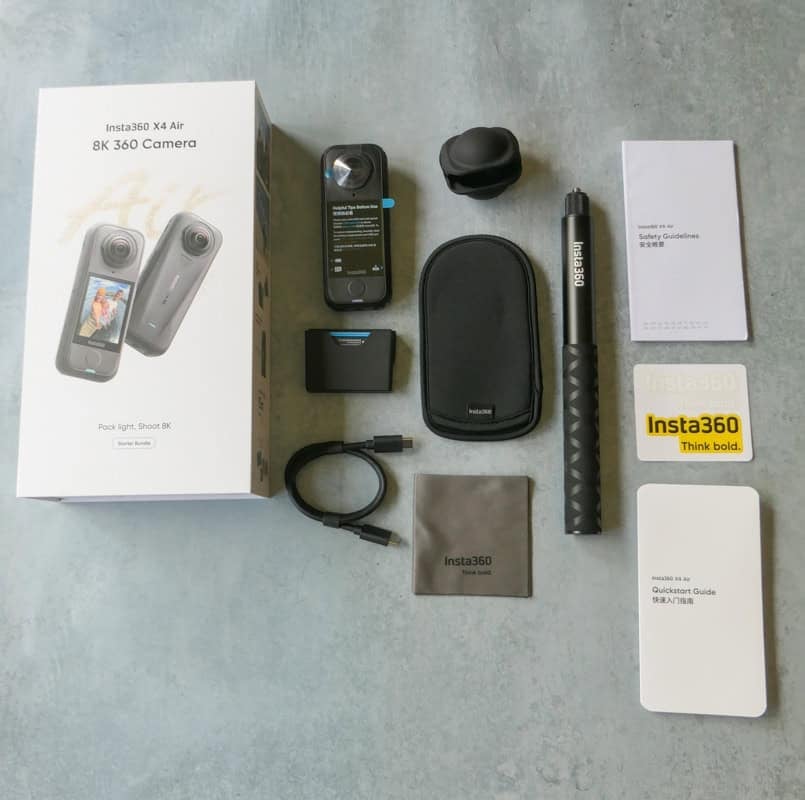
These items were kindly gifted by Insta360 for the purpose of my honest review.
This post may contain affiliate links, which means that we may earn a small commission for qualifying purchases. As an Amazon Associate I earn from qualifying purchases. More info: disclosure.
A 360 camera has two or more lenses designed to record a full, spherical field of view. You don’t need to worry about framing your shot perfectly or where to point, just hit a button and the camera will capture everything happening in front, behind, above and below you, all at the same time!
Download the 360 app and when you come to edit your footage you can choose the best angles to use for your video. If this sounds like a great way to elevate your content creation, but you don’t want to pay a pro-level price, the Insta360 X4 Air is an ideal choice. It’s lightweight, budget- friendly and easy enough for beginners to use.
The Ultimate Travel Content Creator Setup: Insta360 X4 Air + Snap Selfie Screen
And if you’ve ever wondered how solo travellers take their own photos, you need to check out the Insta360 Snap Selfie Screen. It’s a quick and easy way to improve your selfies, and a very useful new addition to my photography kit.
For travellers, July is peak holiday season... At £269 it's one of the cheapest ways to start creating 8K 360 travel content.
**The Insta360 Official Store is having a Prime Day promotion period from 23rd June to 14th July.** From 23rd June to 7th July everything is on sale. And from 7th to 14th July both the Insta360 X4 Air and GO 3S are reduced with savings up to £100.
From 07-14 July 2026 the Insta360 X4 Air is reduced from £359 to £269 for the Standard Bundle, that's a saving of £90 and from £389 to just £289 for the Starter Bundle, a saving of £100. Fans who purchase the X4 Air will receive a free Chest Strap (limited to the first 50 buyers). The first 50 people to buy the Snap from my links will also receive a free carry bag.
My Experience Using the X4 Air
After watching a couple of 'how to' videos on YouTube I decided the best way to learn how to use the X4 Air was to just pick it up and get on with it. And I found it incredibly intuitive and user friendly. The touch screen is easy to navigate to get the settings you want.
Once I'd got it set up how I wanted I just went out and played with it and found it really easy to use. I'm an early GenX and can find tech slightly challenging but I didn't have any issues and got some really great footage from the get go.
Who This Camera Is For
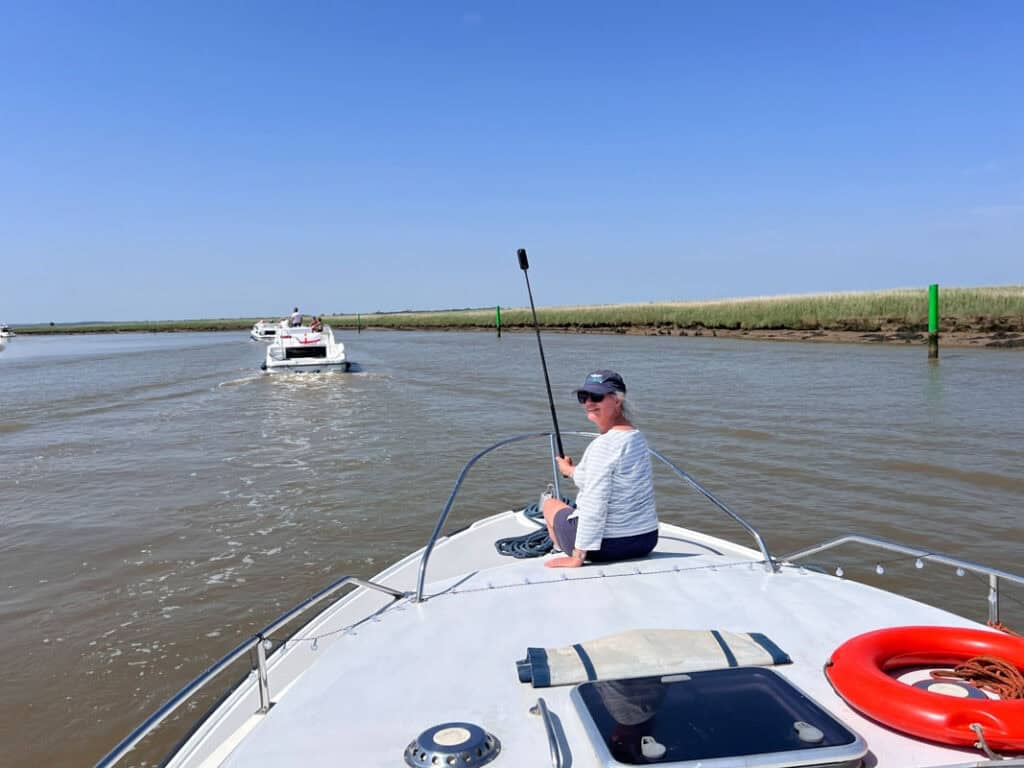
The Insta360 X4 Air is for anyone who wants to create drone-style footage without the aggravation of actually lugging a drone around. A lot of countries will confiscate your drone at the airport anyway so they're not always an option. This camera is small, takes up hardly any room in your bag and produces excellent quality video.
Why the Insta360 X4 is Changing my Travel Content
It's early days for me using the Insta360 but I'm really impressed with the footage that I've produced so far. I'm also excited for the content to come and have some great ideas for getting different angles and footage that wouldn't have been possible before without a drone.
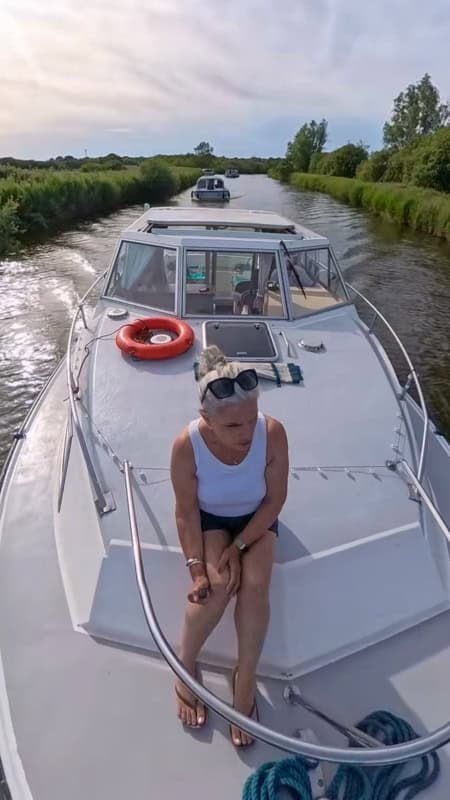
It's also made getting footage of myself so much easier with the invisible selfie-stick. I don't have to rely on other people to help me out now. My husband isn't the best at photography so he's pleased too! And with prices from £269 it's one of the cheapest ways to upgrade your content.
The Insta360 X4 Air Review
The new Insta360 X4 Air is an excellent beginner-friendly 360 camera. Its affordable, lightweight and packed with great features.
Weighing just 165g, Insta360’s lightest 8K 360 camera is perfect for shooting 360 footage on the move. Its compact 46 x 46 x 38 mm dimensions are ideal for use on drone mounts, selfie sticks, helmets or handle bars.
The Insta360 X4 Air is also excellent for filming outdoor adventures and water sports. Its non-slip housing has IPX8 water resistance to a depth of 15 metres, and the lenses have an ultra-hard coating. It’s been useful given the UK’s notoriously wet weather!
If you’ve used an Insta360 camera before, this model’s vertical design, dual lenses and large touchscreen will seem familiar. But the button layout has been simplified with a single main button on the front and quick settings buttons on the side.
There are microphones located all around the casing, with a built-in wind guard on the back, and the camera comes with user-replaceable lenses. The ejectable battery also provides access to the micro-SD card slot.
The USB-C port gives fast charging and data transfer, and Bluetooth 5.2 and dual-band Wi-Fi (2.⅘ GHz) provide stable connection to the mobile app.
The Specs and Technical Data
The Insta360 X4 Air features two 6.4mm f/1.95 lenses, dual 1/1.8-inch sensors, a 2.5-inch touchscreen, a removable battery and microSD storage.
The 360 camera shoots 8K video at 30fps, 6K at 50fps and lower resolution at higher frame rates. It also captures 360° stills at 29MP and offers time-lapse and motion-lapse modes.
| Dimensions: | 46 x 113.8 x 37 mm |
| Weight: | 165g |
| Sensor: | Dual 1/1.8 inch sensors (f/1.95) 6.4mm focal length |
| Video modes: | 8K: 7680 x 3840 @ 30/25/24 fps 6K: 6016 x 3008 @ 50/48/30/25/24 fps 4K: 3840 x 1920 @ 50/48/30/25/24 fps |
| InstaFrame mode: | 6K: 30/25/24 fps |
| Photo modes: | 29 MP approx. (7680 x 3840) |
| Formats: | Video: INSV; mp4 Photo: INSP; DNG |
| Audio: | 48 kHz, 16bit, AAC |
| Battery: | 1 x Lithium-ion 2,010 mAh removable battery |
| Connectivity: | USB-C 3.0, WLAN, Bluetooth 5.2 |
| Storage: | 1 x microSD slot |
| Waterproof: | IPX8 water resistance to 15 metres |
The accessory pack you receive with your Insta360 X4 Air depends on your chosen package. The base Standard Package comes with the Insta360 X4 Air only.
The Starter Bundle comes with a lens cap, an extra battery, a lens cleaning cloth and a USB-C Cable for charging and data transfer. It also includes a 114cm Invisible, foldable Selfie Stick.
You’ll need to purchase the appropriate SD card separately.
Image Quality
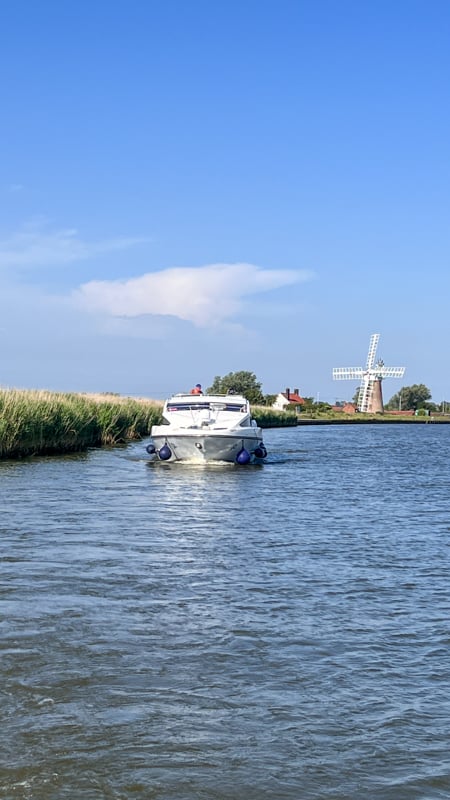
The Insta360 X4 Air performs well when you’re filming in good lighting conditions and at a higher resolution. It creates clean 8K footage (7,680 x 3,840 pixels at 30/25/24 fps) with an impressive level of detail, especially at a wide angle.
If you select the ‘single-lens camera’ mode, the 360 camera becomes a conventional action camera that creates crisp and sharp 4K video at 60 fps. However, once you start to zoom in on the footage, you’ll find there’s obvious noise and artefacts, even if you shoot in good light. If you tend to video at night or in low-lit settings, the noise becomes even more apparent.
To work around this, the Insta360 X4 Air uses Active HDR to give your footage greater dynamic range and Adaptive Tone to improve contrast. If you invest in the top-of-the-range model, you’ll also get access to a ‘PureVideo’ mode that optimises for low-light scenes.
It’s worth noting that the Insta360 X4 Air is not able to shoot in true slow motion. You’ll need to move up to the Insta360 X5 if you want that feature. The workaround is to record video at 6K 50fps and then slow it down by 50%, which is good enough for basic action shots.
The Insta360 X4 Air also shoots still images at 29MP with file sizes of around 7 to 11 MB. They’re fine for general use, but you might find that the HDR mode sometimes leaves your photos looking over processed.
Overall, I found that the image quality is excellent for a 360 camera at this price point.
Battery Life
The 2010 mAh battery gives around 88 minutes of continuous recording. In practice, that’s probably enough to last for around 1-2 hours of recording.
If you need to extend your recording time beyond that, you can switch to energy- saving mode and reduce the video quality to 6K. That should then give you around 110 minutes of continuous recording.
Charging takes around 35 minutes to fill the battery fully, but you can charge to 80% in around 25 minutes. The Standard Package includes a spare battery, which is good to have on hand for longer filming sessions.
The Insta360 Mobile App and Insta360 Studio for Desktop
The Insta360 X4 Air is equipped with mobile and desktop apps that make creating 360 content easy, even for complete beginners. It didn’t take me long to find my way around it.
The Insta360 mobile app turns your footage into completed videos with functions like Auto Edit and FlashCut. It uses AI-powered features to select highlights and add transitions, effects and music, and links seamlessly with the camera, using pre-set templates for quick results.
200GB cloud storage is included free of charge for the first six months, so you can easily edit videos while you’re on the go.
You can also use the Insta360 Studio for Desktop if you want to do more intricate editing. This includes software features like AdaptiveTone for dynamically adjusted exposure and colour, and ghosting reduction gives you better 360° stitching on your footage.
Keyframe animations and professional reframes give a polished final product, and the desktop app includes H.265 encoding to give smaller file sizes at top quality. You can export in 16:9, 9:16 or 1:1 formats with a direct upload function for YouTube and TikTok.
What it’s Like to Use the Insta360 X4 Air
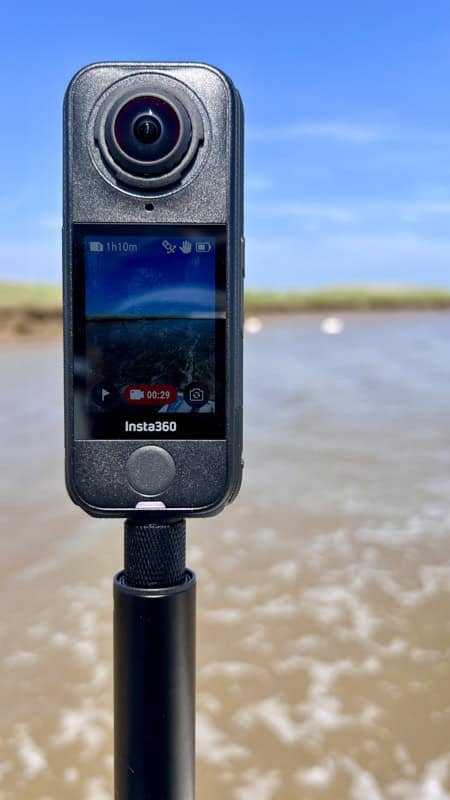
If, like me, you’re completely new to 360-degree video, it may take a little time to get used to the Insta360 X4 Air. But it’s worth putting in the effort, as this camera gives great results for such an affordable price tag. I felt comfortable using it after an hour or so of practise and looking at on-line tutorials.
The first thing to note about the Insta360 X4 Air is that it’s incredibly easy to get started. More experienced Insta360 users will find this model very easy to use, as it has the same touch screen controls as the X4 and X5 models.
The touchscreen controls switch easily between modes like timelapse, 360° and single-lens 4K, while flowstate stabilisation provides an automatic horizon lock for effortlessly smooth action footage.
AI features make getting high-quality results even easier. The portrait mode is ideal for vloggers as it automatically recognises faces, adjusting exposure and white balance to give natural skin tones. Audio quality functions, such as voice enhancement and wind noise reduction, ensure you get pretty good sound quality even in noisy settings.
Finally, the excellent Insta360 app and desktop studio make your post-recording workflow straightforward.
What Could be Better about the Insta360 X4 Air?
Of course, no product is perfect, but I only found a couple of downsides to the Insta360 X4 Air.
The main problem for content creators is that the Insta360 X4 Air is less than ideal
for night shooting. Its dual sensors struggle in low light, and the resulting footage can be grainy, soft and dark.
Many people will be happy to accept this quality in return for the lower price tag. However, it could be a problem if you often create content at night or in low-lit settings. I don’t often shoot at night so this hasn’t been an issue for me. You’ll need to weigh up for yourself whether the lower price tag outweighs this. Personally, I wouldn’t say that it’s a dealbreaker if you’re in the market for a starter 360 camera.
Why the Insta360 X4 Air is Great for Content Creators
The Insta360 X4 Air is a fantastic budget option for content creators who want to shoot imaginative travel content but don’t want professional tech specs or a premium price tag. It’s lightweight, has a good battery life and is easy enough for first-time users to master quickly.
So, if you’re looking for a starter 360 camera for social media content, you’ll find the Insta360 X4 Air is an excellent option.
Is a 360 Camera Better Than a Phone for Travel?
This isn’t really a simple either/or situation. Rather than replacing your smartphone, a 360 camera works best as a complement to it.
Smartphones are the easiest and most convenient option for capturing everyday photos and videos and posting quick social media updates. On the other hand, a 360 camera lets you embrace a wider range of creative possibilities that would be difficult or impossible to achieve with your standard smartphone lens.
Used together, a smartphone and a 360 camera offer the flexibility to capture both traditional shots and imaginative, immersive images that will capture your travel experience perfectly.
The Insta360 Snap Selfie Screen
If you're tired of blurry front-camera selfies, the Snap is one of the easiest upgrades you can make to your travel photography.
Why Solo Travellers Will Love the Snap
If you’ve ever used your phone to take a selfie or film content for Instagram or TikTok, you’re sure to have experienced one very common dilemma.
Using your selfie camera is the easiest way to frame your shot, but the lower-quality camera can make your face look distorted. The back camera gives you higher-quality images, but it’s hard to know whether you’re in frame properly because you can’t see yourself as you shoot. You won’t know if you’re central to the shot or not lit properly.
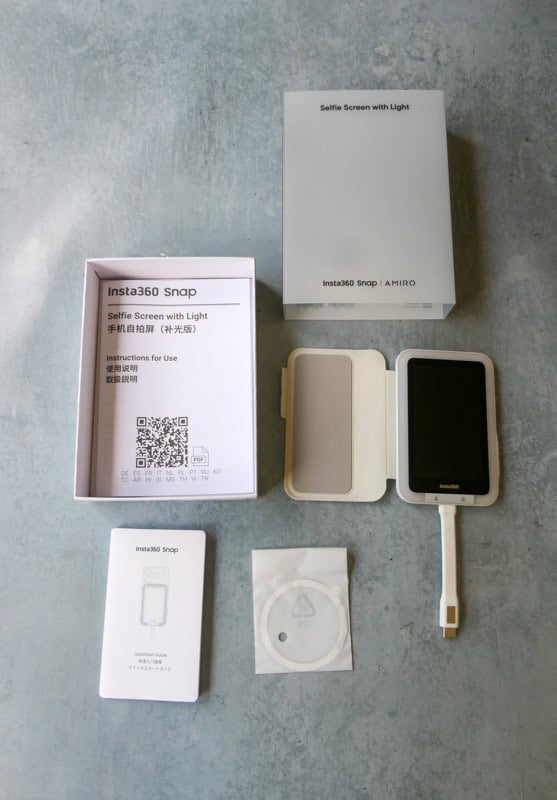
The Insta360 Snap Selfie Screen offers a simple solution to this frustrating problem. It’s a nifty snap-on magnetic monitor that connects to the back of your phone so you can use the back camera while seeing a real-time image of your phone screen. You can preview shots with the superior rear camera so your selfies and vlogs look clearer, sharper and ensure that you’re framed perfectly.
Before using Snap, I often took 5-10 photos before getting the framing right. Now I can see exactly how the shot will look before pressing the shutter. This is especially great if I'm taking photos in a crowded place or restaurant setting. I can set it up and take the shot in seconds with minimal distruption.
The Snap isn't just useful for solo travellers. It's perfect for couples who want better travel photos without constantly asking strangers for help.
0.5x Ultra-Wide Selfie
Switch your phone to 0.5x ultra-wide mode. The wider view lets you fit more of the scenery into the shot, making it easy to capture both yourself and the destination without cutting out the background.
Mirror Mode
The Insta360 Snap Selfie has a handy Mirror button that instantly flips the screen preview, just like looking in a mirror. It’s perfect for quickly checking your hair, makeup or positioning before taking a photo, helping you get the shot right first time.
The Built-in Selfie Light
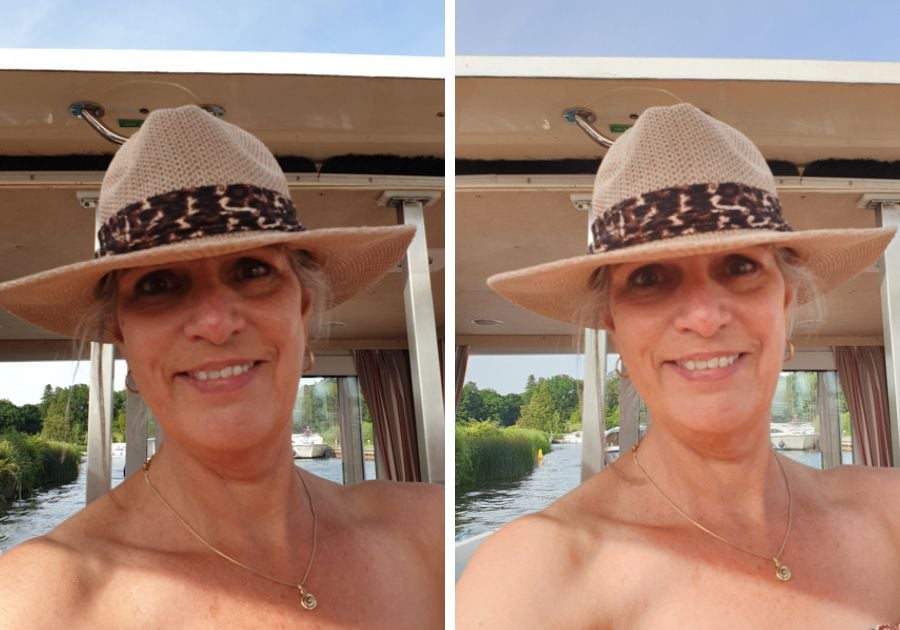
A selfie shot by Insta360 Snap without light on (left) vs selfie filming by Insta360 Snap with light (right).
The built-in light on some models is a useful feature when you’re taking photos in low light or after dark. It adds a little extra illumination to your face, helping you look brighter and more visible in the frame. Whether you’re capturing sunset photos, evening city scenes or indoor shots, it can help improve your selfies without needing any additional equipment.
What it’s Like to Use the Insta360 Snap Selfie Screen
The main advantage of the Insta360 Snap Selfie Screen is its convenience – setting the screen up takes just a few seconds.
You simply fix the screen to your phone with the MagSafe-compatible magnets or stick-on adapter ring, attach the USB-C cable to your phone, choose ‘Cast’ from the pop-up. That’s it – you’re ready to start filming.
If you’re an Android user, your screen will work instantly. If you’re using an iPhone, you have to configure it in the accessibility settings, but that doesn’t take long.
Once you’ve set the screen up, you have full control over your camera from the Snap Selfie Screen’s touchscreen display. That means you don’t need to flip around to your phone’s screen if you need to make the image brighter or change a setting.
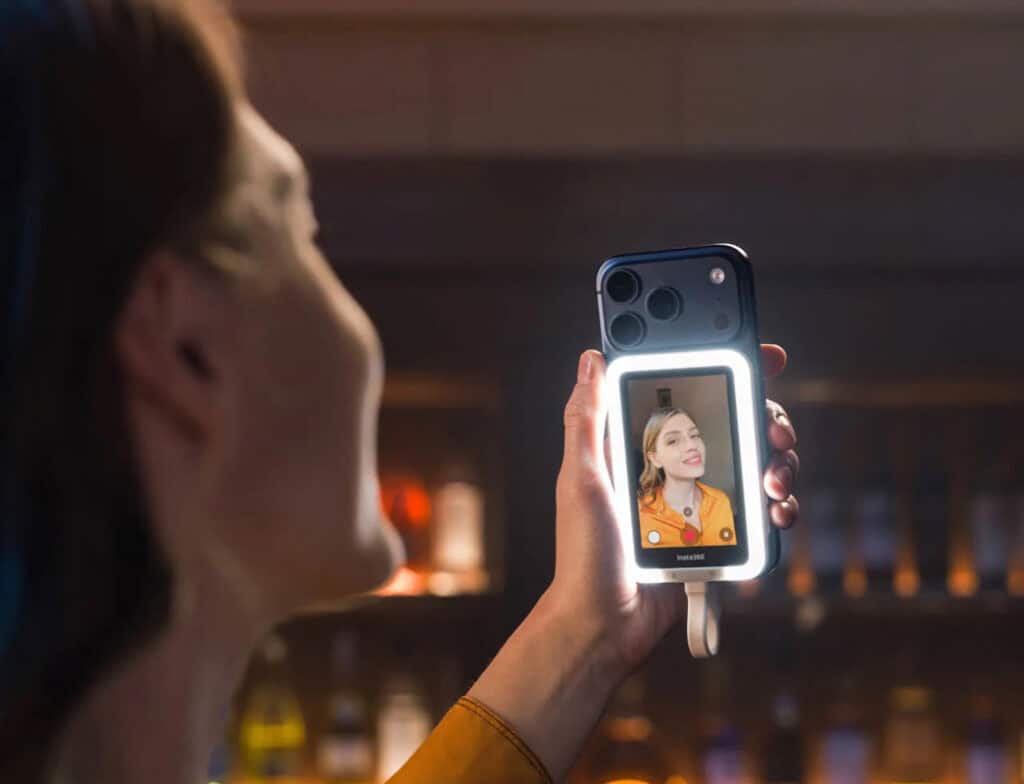
Because the screen connects to your phone via USB-C, there’s no wireless lag, so all of the changes show up immediately on your selfie screen. You can pinch-zoom, switch modes, film videos and snap photos with full access to the functions and features of apps like Instagram and TikTok.
Another feature I really like is the screen cover. It blocks the front touch screen from your fingers, so you don’t make unintended changes while you’re filming. And because the Insta360 Snap Selfie Screen is powered by your phone, it doesn’t need its own battery, which keeps the extra weight down.
Of course, you need to have a compatible phone, and not all iPhones have a USB-C port. So be sure to check your phone before you place your order!
Best iPhone accessory for Solo Trips
The Insta360 Snap Selfie Screen has a bright, clear screen, which makes it a great option for shooting selfies outdoors.
Unlike most selfie screens, the more expensive model also has a built-in fill-light. The display is surrounded by an LED frame with two buttons that control the brightness level and colour temperature.
It’s much more flattering than your phone’s harsh flash light and if you’re filming on an overcast day, it could make all the difference to your images.
Why the Insta360 Snap Selfie Screen is great for content creators
Selfie screens aren’t perfect, but they’re a handy tool for content creators. Until selfie cams get a lot better, this is the ideal way to take advantage of your phone’s higher-quality back camera.
The Insta360 Snap Selfie Screen is lightweight, easy to use and doesn’t have the problems with lag that wireless selfie screens can have. Even better, it snaps on via MagSafe, so you can leave it in place for quick access.
Special Discount for the Snap Selfie Screen
There are two versions of the Insta360 Snap Selfie Screen. The base model without the LED frame costs £72.99 but is reduced from 07-14 July to just £65. If you want the LED frame option, (my recommendation) it costs £82.99 but is reduced to £74 for the offer period. Having tried it out, I’d say using the Insta360 Snap Selfie Screen is one of my top solo travel photo hacks. The first 50 people to buy the Snap from my links will also receive a free carry bag.
The Best Budget Camera Setup for Travel
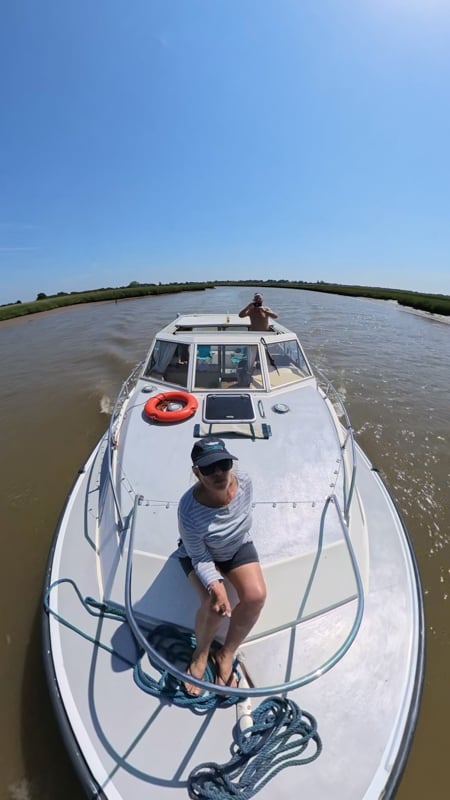
There are some very good reasons to add the Insta360 X4 Air to your photography kit bag. It’s smaller and lighter than its competitors and is packed with new features that will elevate your content while still being easy enough for complete novices to use.
Ready to create drone-style travel footage without carrying a drone? Check the Prime Day offers on the Insta360 X4 Air. Fans who purchase the X4 Air will receive a free Chest Strap (limited to the first 50 buyers).
The image quality is surprisingly good, and although it struggles with night shoots, the night-time footage is still better than some action cameras. The audio quality is also impressive for a built-in mic.
If you’re looking for an entry-level 360 camera or shopping on a budget, the Insta360 X4 Air is a really great choice. The upcoming deals available between 07 and 14 July, 2026, make it even more affordable and it’s a great way to invest in your content.
I was also very impressed by the Insta360 Snap Selfie Screen. It’s an easy way to take better selfies without struggling to frame your shots on the back camera. It’ll definitely be accompanying me on my future trips. You can also save money on this fantastic little gadget in the promotion.
The Insta360 X4 Air and Insta360 Snap Selfie Screen offer content creators greater flexibility. They’re a simple way to capture photos and footage that helps your audience feel part of your shared travel experience.
**The Insta360 Official Store is having a Prime Day promotion period from 23rd June to 14th July.** From 23rd June to 7th July everything is on sale. And from 7th to 14th July both the Insta360 X4 Air and GO 3S are reduced.

This is a really informative and helpful review of the Insta360 X4 Air. I appreciate how you explained the features, performance, and practical uses of the camera for travelers and content creators. The insights about capturing unique perspectives and creating immersive travel memories are especially interesting. Your review makes it easier to understand whether this camera is the right choice for different adventures. Thanks for sharing such a detailed and engaging experience! for more info: